iPhone · Free beta
Theworkoutlogyoutalkto.
Say your sets between machines. Spotter logs them, remembers everything, and tells you when to add weight.
Never forget the pin again.
25 seconds
“What weight were you on last time?”
Spotter knows, and it tells you before you ask.
Three ways to log
However you log it, it lands in one place.
Say it
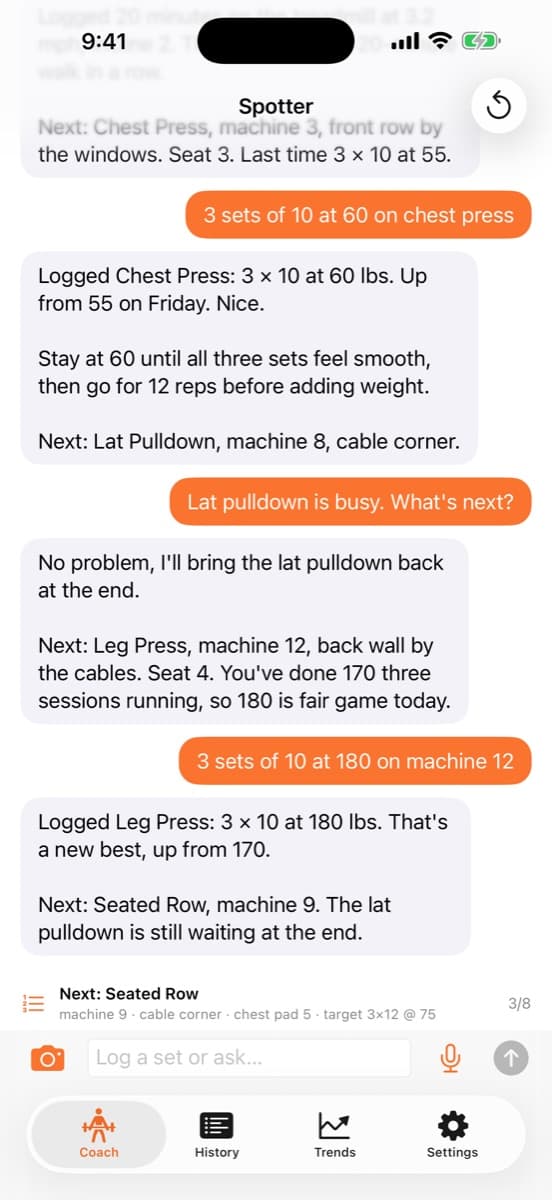
“3 sets of 10 at 60 on chest press.” Speak between machines and it’s logged. The coach tells you what you did last time and when it’s time to add weight.
Snap it
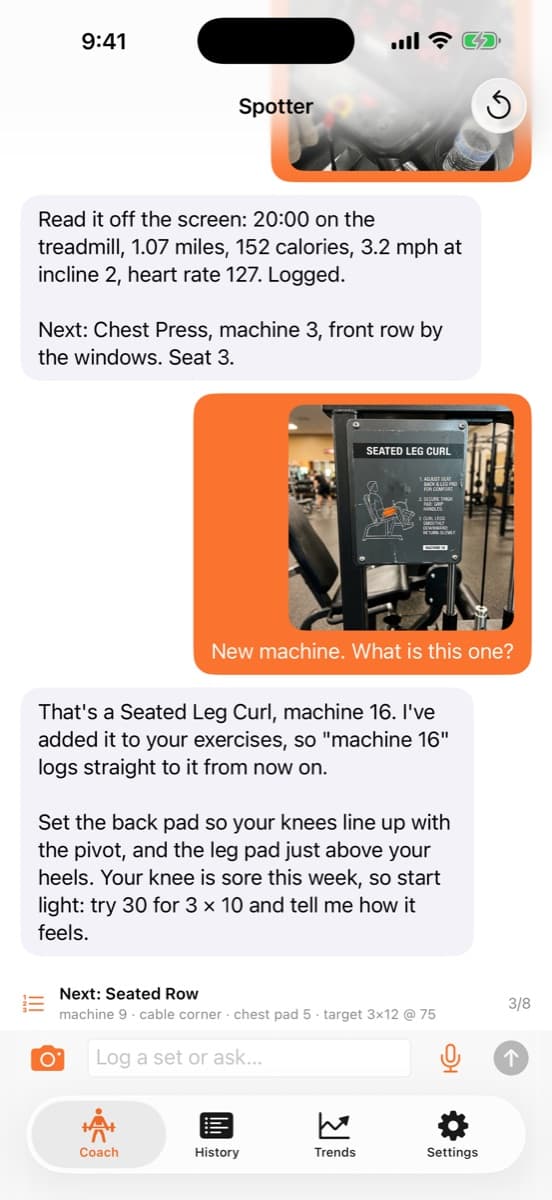
New machine? Take a photo of the placard and Spotter figures out what it is. Photograph the treadmill screen and your cardio is logged from it.
Tap it
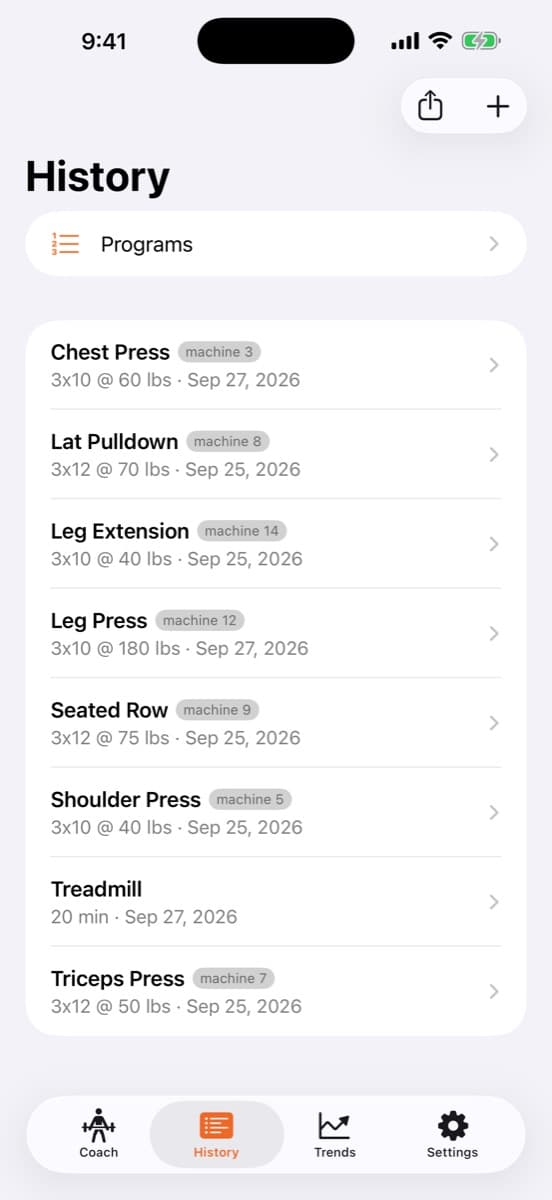
No signal in the basement weight room? Log by hand in History. Anything you said while offline waits on your phone and sends when you’re back.
Your program, machine by machine
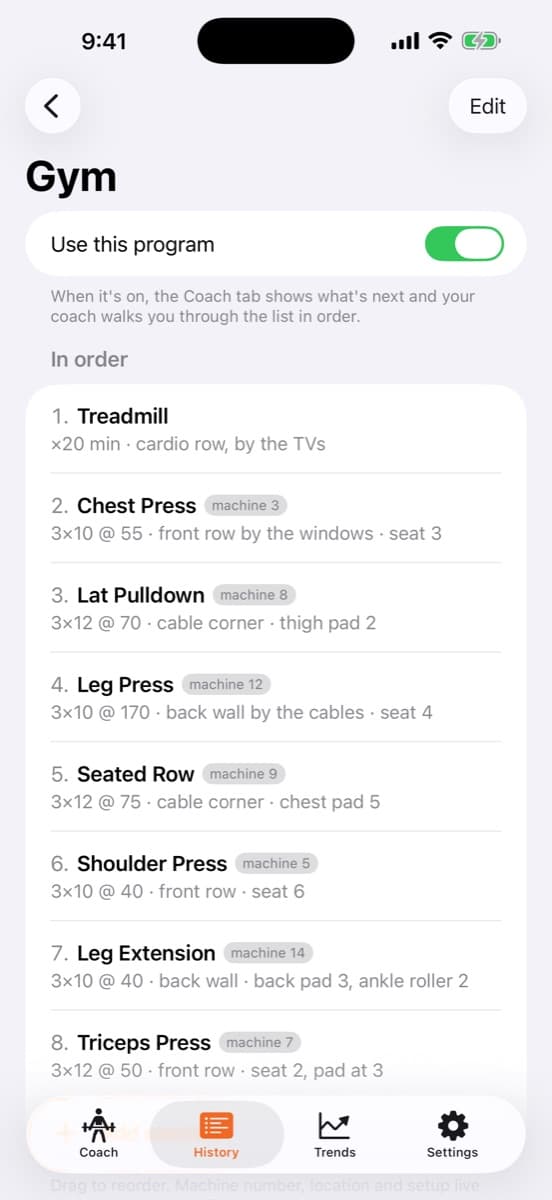
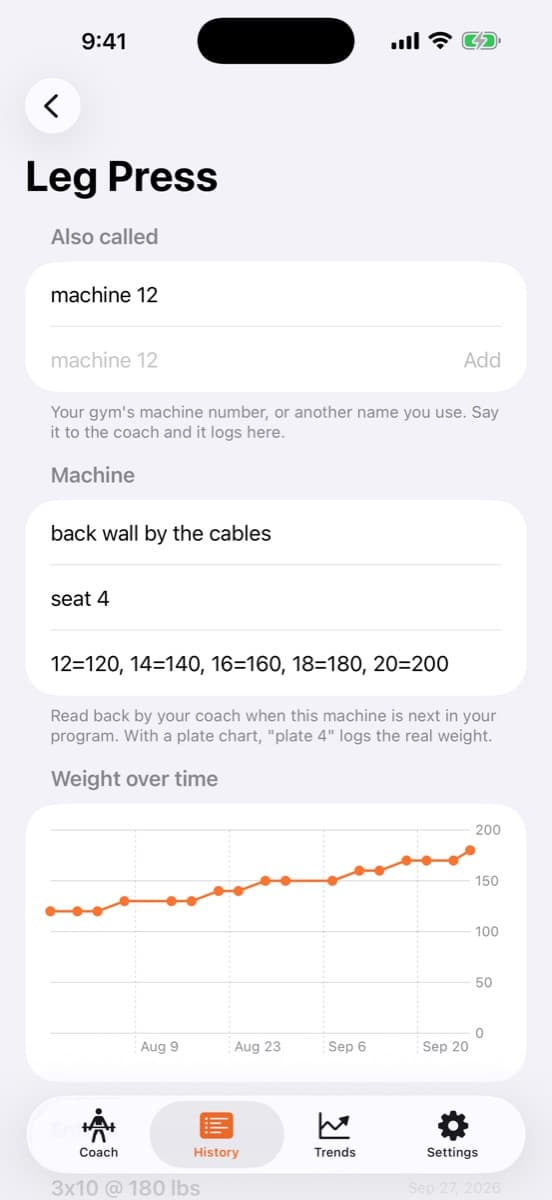
It knows machine 12 is the leg press.
Add the machines you do in the order you do them. Between sets the coach shows what’s next: the machine number, where it is, how you set it up, and what you lifted last time.
- “That one’s busy.” It moves you along and brings the skipped machine back at the end.
- Plate charts. Say “plate 4 on the leg extension” and the real weight gets logged.
- Machine numbers. Teach it once and “3 sets of 10 on machine 12” just works.
Coach Memory
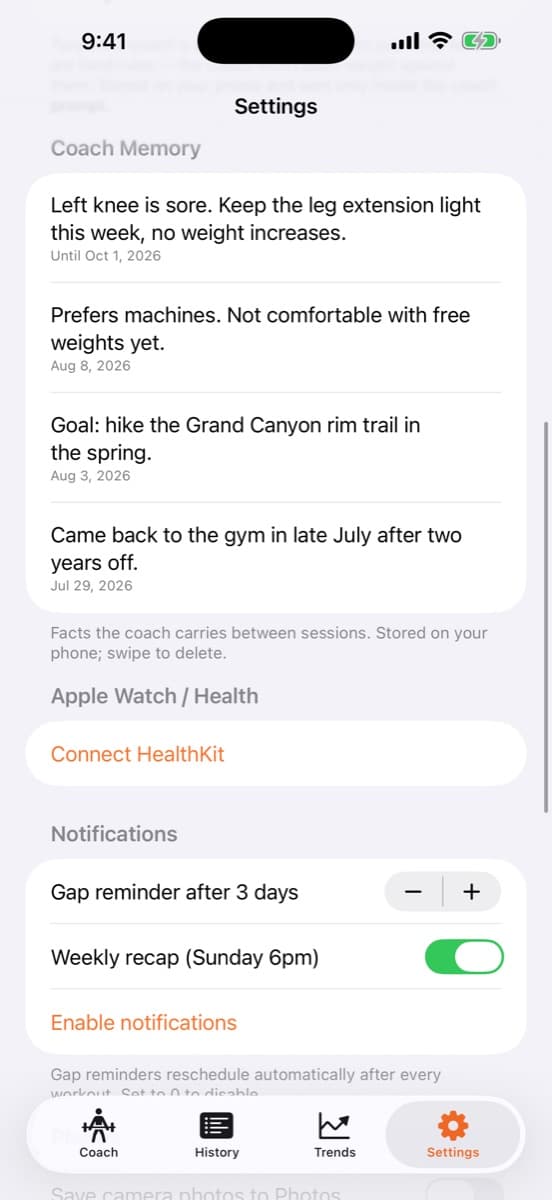
Tell it about your knee once.
Injuries, surgeries you’re coming back from, a goal like endurance over weight. The coach treats them as hard rules. It won’t push weight on anything they touch, even when a set looked easy. You can see and delete everything it remembers in Settings.
Progress you can see
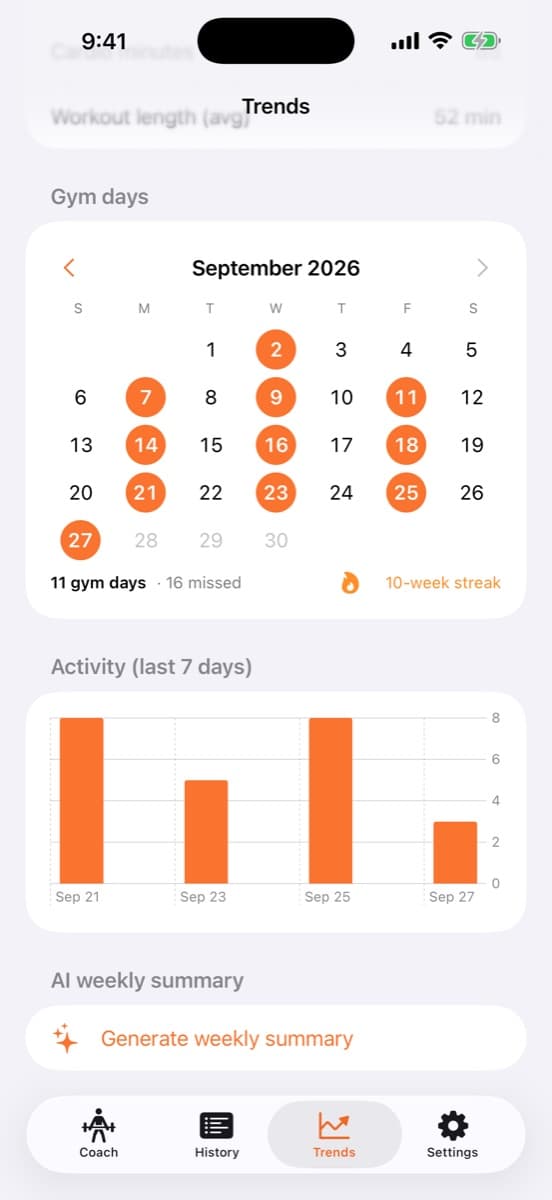
Watch the leg press climb.
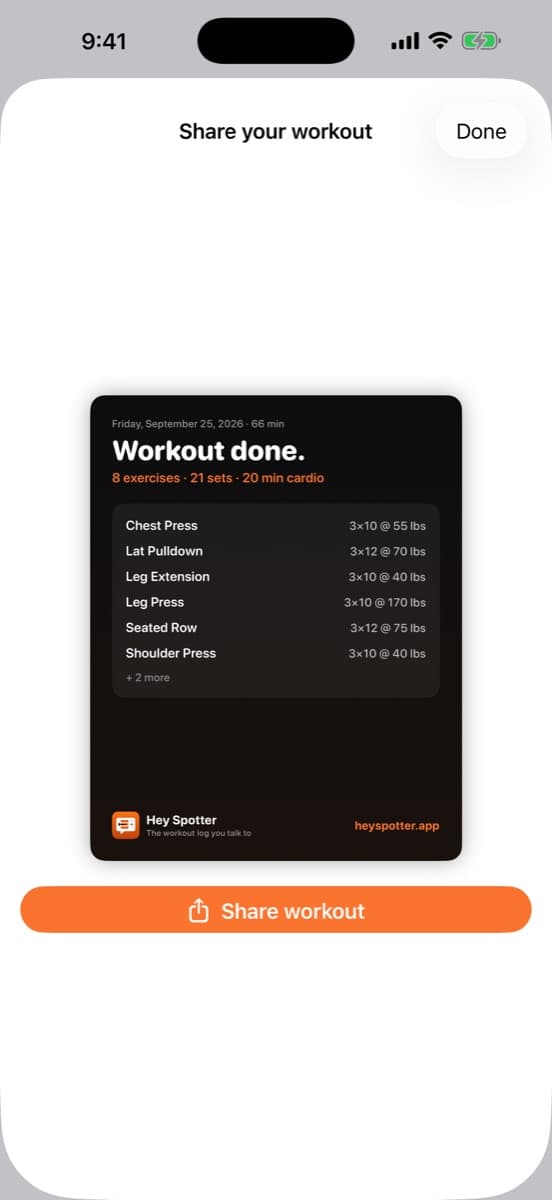
Every exercise gets a weight-over-time chart. Gym days fill in on a calendar, so you can see your streak and the days you skipped. When you’re done, share a clean workout card instead of a gym selfie.
Your data stays yours
Your log lives on your phone, not our servers.
On your iPhone
Workouts, chat and everything the coach knows are stored on the device.
Backed up to your iCloud
Reinstall or move to a new iPhone and your history comes back on its own.
Export anytime
One tap for a Markdown file or a CSV spreadsheet of every set you’ve logged.
Pricing
Start free. Go Pro when you’re hooked.
Pricing when Spotter reaches the App Store. The beta is free through TestFlight.
Free
$0
- 30 coach messages a month for talk-to-log, photo logging and coaching
- Manual logging, full history and charts
- Apple Health and weekly recaps
- Share cards and data export
Spotter Pro
$5.99/month
or $49.99 a year
- Unlimited coach messages
- Talk-to-log and photo logging with no monthly cap
- Everything in Free
Questions
Who is Spotter for?+
People getting back into the gym, a lot of them 50 and up, who train on machines and won’t do data entry between sets. It isn’t a powerlifting percentages app.
Do I need an account?+
Manual logging, history and charts work without one. The coach needs Sign in with Apple so it can remember your workouts: one tap, no forms, no email.
Where does my workout data live?+
On your iPhone, synced to your own private iCloud. Our server keeps a sign-in identifier, a usage counter and your subscription status, nothing else. The privacy policy has the details.
Can I get my data out?+
Yes. Settings → Your data exports every workout as Markdown or a CSV spreadsheet. AirDrop it, save it to Files, or print it.
Does it work with Apple Watch?+
Spotter reads recent workout data from Apple Health, like heart rate and calories, to round out your log. It only reads; it never writes to Health.
Is Spotter medical advice?+
No. It’s a workout log with a coach that remembers. Check with your doctor before starting a new program.
More on the support page.
Your next set, logged by saying it.
Join the free iPhone betaBuilt by one person in public. Read how it started.